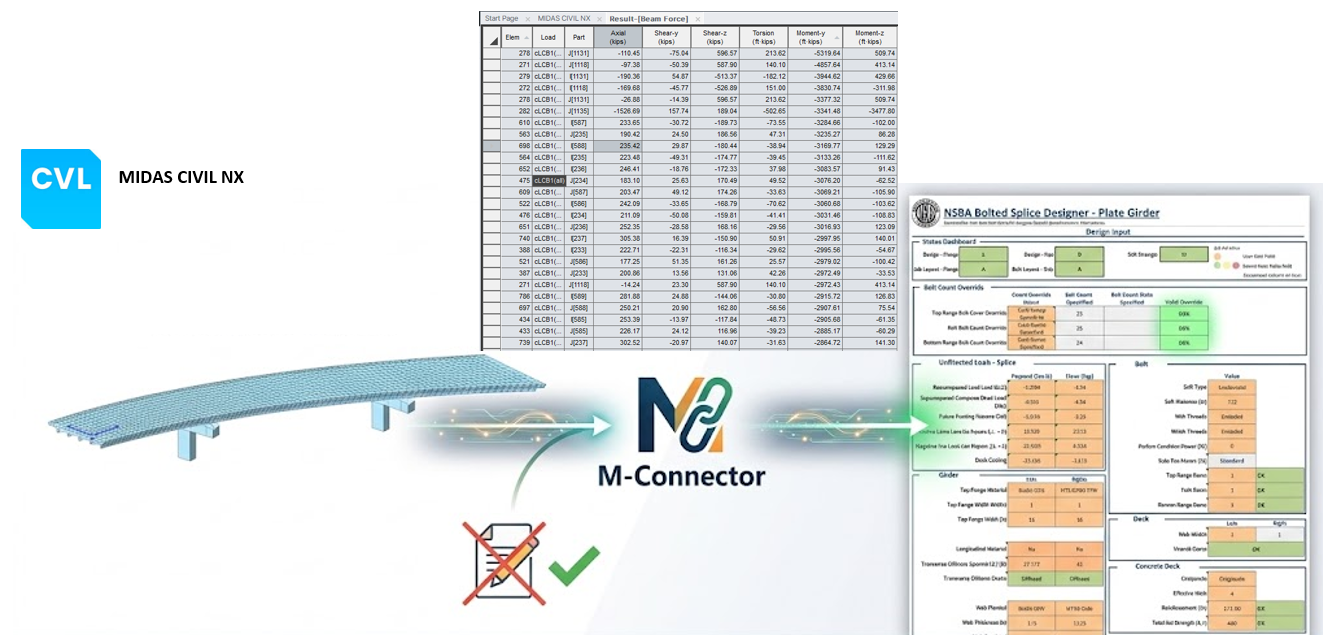
 Step 1
Set it up once
Decide which results the sheet needs from the model and connect them to the sheet inputs one time.
M-Connector lets the spreadsheets your firm already uses pull results straight from your MIDAS model. Set it up once, use it on any project, and keep working without reopening the model. We'll build it live on the NSBA splice design sheet.
Every design firm has spreadsheets it trusts and a process built around them. The trouble starts at the model. Each new project means setting up the transfer again, and each revision sends the designer back to whoever has the model open.
M-Connector changes that. It lets your firm set up once how results from the model get into a spreadsheet, so the same setup works on any project. The sheet gets its results without an open analysis session, so MIDAS doesn't need to be running for the designer to keep going.
We'll demonstrate it with the NSBA splice design sheet: what each check represents, how it connects to the model, and how the same setup carries over to a different bridge. The approach applies to any calculation your team currently handles in a spreadsheet.
One setup your whole team can use. Splice design is the worked example. The same approach works for any calculation your firm already does in a spreadsheet. Set it up once, and every project and every engineer starts from the same connected sheet.
Shown on NSBA splice design. The same steps apply to any spreadsheet your team uses.
Step 1
Decide which results the sheet needs from the model and connect them to the sheet inputs one time.
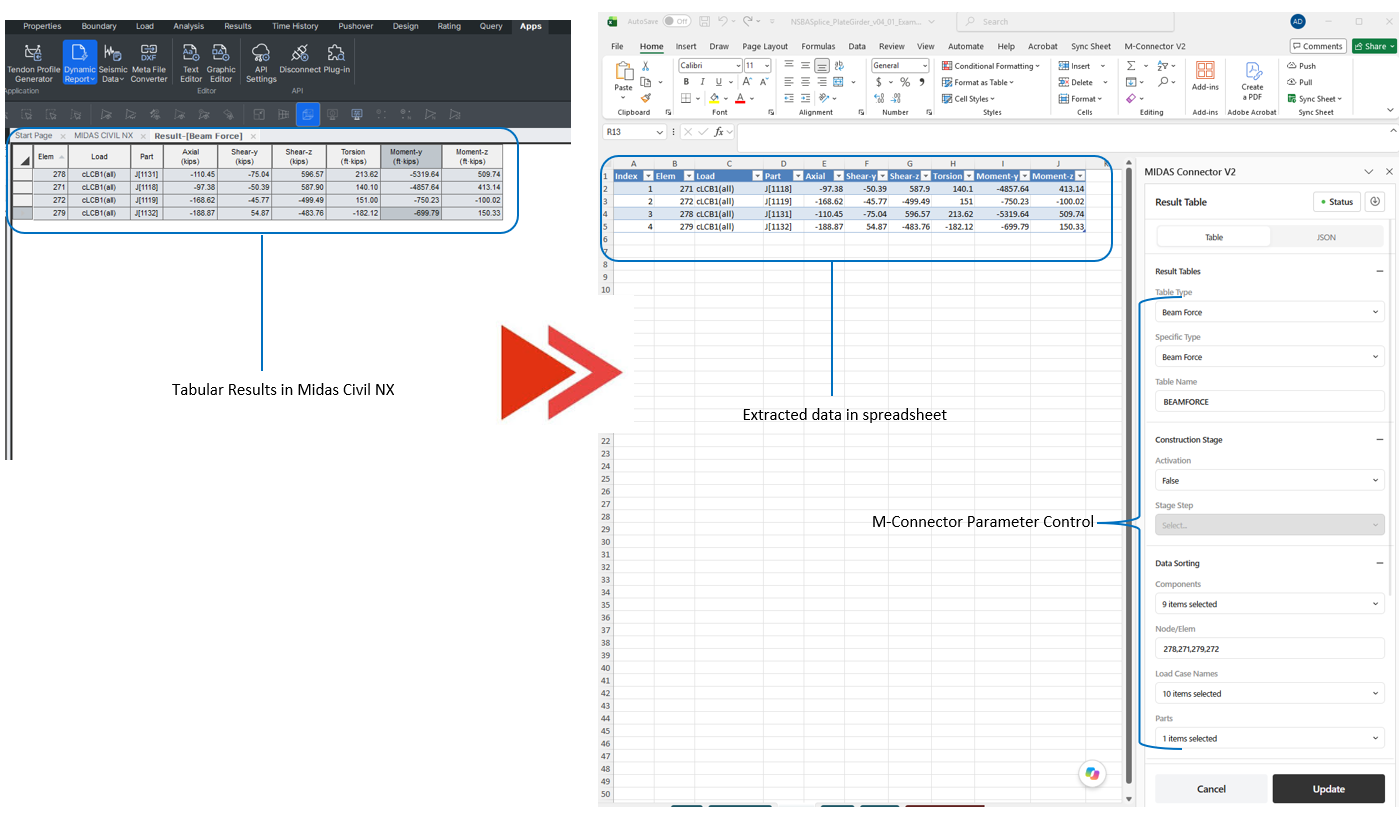 Step 2
Set the result parameters once. The same information is needed at each location on every bridge, so the setup carries over.
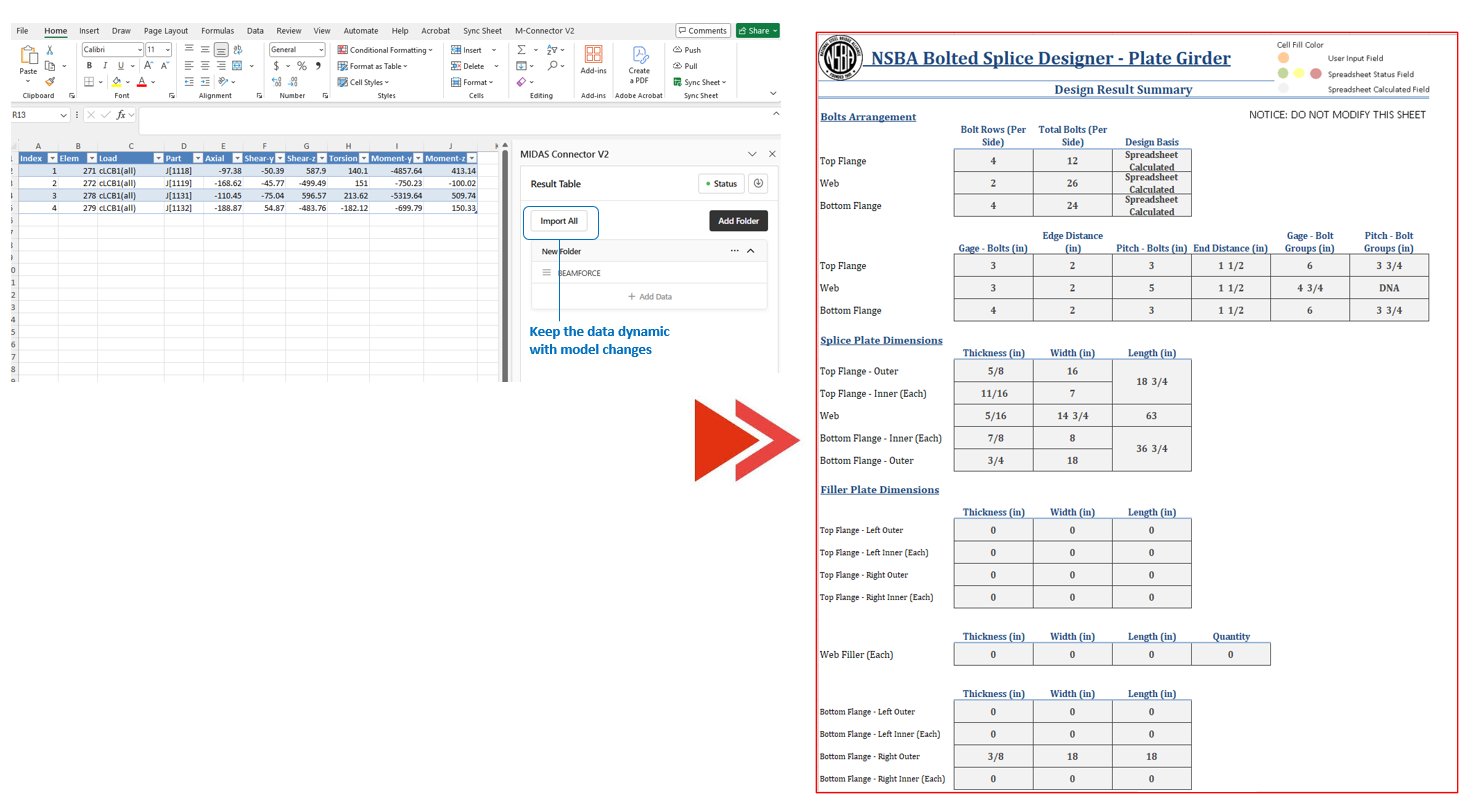 Step 3
The sheet stays connected to the model, so designers run checks and revisions without waiting for someone to reopen it.
Working through the NSBA splice design sheet, you'll be able to:
M-Connector links MIDAS models to the spreadsheets your firm already trusts, so you set it up once and reuse it instead of starting over on every project.
Connect the sheets your firm already trusts instead of replacing them. NSBA splice design is the example; the method applies to any spreadsheet.
The same information is needed at different locations on every bridge, so the setup carries over. No rebuilding the connection when a new project starts.
Results come straight from the model into the sheet, so the sheet keeps working with MIDAS closed.
Analysts and designers can work at the same time. Revisions don't wait for someone to reopen the model.

Adrija is a structural engineer with around 8 years of experience in bridge engineering. She holds a Bachelor’s degree in Civil Engineering from the National Institute of Technology (NIT) Calicut and a Master’s degree in Structural Engineering from the Indian Institute of Technology (IIT) Madras. Her work covers the analysis, design, and evaluation of bridges, with a focus on steel composite and prestressed concrete (PSC) bridge systems. At MIDASoft, she works closely with users worldwide, providing technical guidance and sharing her practical experience in bridge engineering.
50 minutes of presentation and live demo, then 10 minutes of open Q&A. Times are in EST.
Learn how to set up your MIDAS models and your firm's spreadsheets to work together on every project, starting with NSBA splice design.
