Would you like to sign out?

Select Country

  • Afghanistan English
  • Albania English
  • Algeria English
  • American Samoa English
  • Andorra English
  • Angola English
  • Anguilla English
  • Antarctica English
  • Antigua and Barbuda English
  • Argentina Español
  • Armenia English
  • Aruba English
  • Australia English
  • Austria English
  • Azerbaijan English
  • Bahamas English
  • Bahrain English
  • Bangladesh English
  • Barbados English
  • Belarus English
  • Belgium English
  • Belize English
  • Benin English
  • Bermuda English
  • Bhutan English
  • Bolivia Español
  • Bosnia and Herzegovina English
  • Botswana English
  • Bouvet Island English
  • Brazil English
  • British Indian Ocean Territory English
  • British Virgin Islands English
  • Brunei English
  • Bulgaria English
  • Burkina Faso English
  • Burundi English
  • Cambodia English
  • Cameroon English
  • Canada English
  • Cape Verde English
  • Caribbean Netherlands English
  • Cayman Islands English
  • Central African Republic English
  • Chad English
  • Chile Español
  • Christmas Island English
  • Cocos (Keeling) Islands English
  • Colombia Español
  • Comoros English
  • Congo English
  • Cook Islands English
  • Costa Rica Español
  • Côte d’Ivoire English
  • Croatia English
  • Cuba Español
  • Curaçao English
  • Cyprus English
  • Czech Republic English
  • Democratic Republic of the Congo English
  • Denmark English
  • Djibouti English
  • Dominica English
  • Dominican Republic Español
  • Ecuador Español
  • Egypt English
  • El Salvador Español
  • Equatorial Guinea English
  • Eritrea English
  • Estonia English
  • Ethiopia English
  • Falkland Islands English
  • Faroe Islands English
  • Fiji English
  • Finland English
  • France English
  • French Guiana Español
  • French Polynesia English
  • French Southern Territories English
  • Gabon English
  • Gambia English
  • Georgia English
  • Germany English
  • Ghana English
  • Gibraltar English
  • Greece English
  • Greenland English
  • Grenada English
  • Guadeloupe Español
  • Guam English
  • Guatemala Español
  • Guernsey English
  • Guinea English
  • Guinea-Bissau English
  • Guyana English
  • Haiti Español
  • Heard Island and McDonald Islands English
  • Honduras Español
  • Hong Kong English
  • Hungary English
  • Iceland English
  • India English
  • Indonesia English
  • Iran English
  • Iraq English
  • Ireland English
  • Isle of Man English
  • Israel English
  • Italy English
  • Jamaica English
  • Japan 日本語
  • Jersey English
  • Jordan English
  • Kazakhstan English
  • Kenya English
  • Kiribati English
  • South Korea 한국어
  • Kuwait English
  • Kyrgyzstan English
  • Laos English
  • Latvia English
  • Lebanon English
  • Lesotho English
  • Liberia English
  • Libya English
  • Liechtenstein English
  • Lithuania English
  • Luxembourg English
  • Macau English
  • Madagascar English
  • Malawi English
  • Malaysia English
  • Maldives English
  • Mali English
  • Malta English
  • Marshall Islands English
  • Martinique English
  • Mauritania English
  • Mauritius English
  • Mayotte English
  • Mexico Español
  • Micronesia English
  • Moldova English
  • Monaco English
  • Mongolia English
  • Montenegro English
  • Montserrat English
  • Morocco English
  • Mozambique English
  • Myanmar English
  • Namibia English
  • Nauru English
  • Nepal English
  • Netherlands English
  • New Caledonia English
  • New Zealand English
  • Nicaragua Español
  • Niger English
  • Nigeria English
  • Niue English
  • Norfolk Island English
  • Northern Mariana Islands English
  • Norway English
  • Oman English
  • Pakistan English
  • Palau English
  • Palestine English
  • Panama Español
  • Papua New Guinea English
  • Paraguay Español
  • Peru Español
  • Philippines English
  • Pitcairn Islands English
  • Poland English
  • Portugal Español
  • Puerto Rico Español
  • Qatar English
  • Réunion English
  • Romania English
  • Russia English
  • Rwanda English
  • Saint Barthélemy Español
  • Saint Helena English
  • Saint Kitts and Nevis English
  • Saint Lucia English
  • Saint Martin Español
  • Saint Pierre and Miquelon English
  • Saint Vincent and the Grenadines English
  • Samoa English
  • San Marino English
  • São Tomé and Príncipe English
  • Saudi Arabia English
  • Senegal English
  • Serbia English
  • Seychelles English
  • Sierra Leone English
  • Singapore English
  • Sint Maarten English
  • Slovakia English
  • Slovenia English
  • Solomon Islands English
  • Somalia English
  • South Africa English
  • South Georgia English
  • South Sudan English
  • Spain English
  • Sri Lanka English
  • Sudan English
  • Suriname English
  • Svalbard and Jan Mayen English
  • Eswatini English
  • Sweden English
  • Switzerland English
  • Syria English
  • Taiwan English
  • Tajikistan English
  • Tanzania English
  • Thailand English
  • Togo English
  • Tokelau English
  • Tonga English
  • Trinidad and Tobago English
  • Tunisia English
  • Turkey English
  • Turkmenistan English
  • Turks and Caicos Islands English
  • Tuvalu English
  • U.S. Virgin Islands English
  • Uganda English
  • Ukraine English
  • United Arab Emirates English
  • United Kingdom English
  • United States English
  • U.S. Minor Outlying Islands English
  • Uruguay Español
  • Uzbekistan English
  • Vanuatu English
  • Vatican City English
  • Venezuela Español
  • Vietnam English
  • Wallis and Futuna English
  • Western Sahara English
  • Yemen English
  • Zambia English
  • Zimbabwe English
  • Åland Islands English
  • East Timor English
  • Netherlands Antilles English
  • Serbia and Montenegro English
  • North Macedonia English
  • Timor-Leste English

Can Revit model files be imported and interpreted in MIDAS Civil?

June 28, 2023
BLOG TIPS & TUTORIALS

Please fill out the Download Section (Click here) below the Comment Section to download the CIM Catalog.


Table of Contents 

*Click the content to move to the section


1. IFC File Import

2. MIDAS CIM Analysis-Link Setting

3. MIDAS Civil Import

4. MIDAS Civil Additional Work

5. Automatic Drawing Generation

6. Conclusion & Additional Information


"Can Revit model files be imported and interpreted in Midas Civil?"


Recently, in the review phase before implementing Midas CIM at Kobec Co., they inquired with the CIM Team about the possibility of importing IFC files into MIDAS Civil.


Previously, when performing 3D modeling and structural analysis, they would do the 3D modeling in Revit and then perform additional modeling in MIDAS Civil, applying analysis conditions to proceed with the work. Kobec wanted to minimize this process.


Therefore, the method proposed by the CIM Team is as follows: converting the 3D modeling created in Revit into an IFC file, importing this IFC file into MIDAS CIM, and then importing it again into MIDAS Civil. In MIDAS Civil, there is no need for additional modeling work, resulting in a significant reduction in work time.


1. IFC File Import


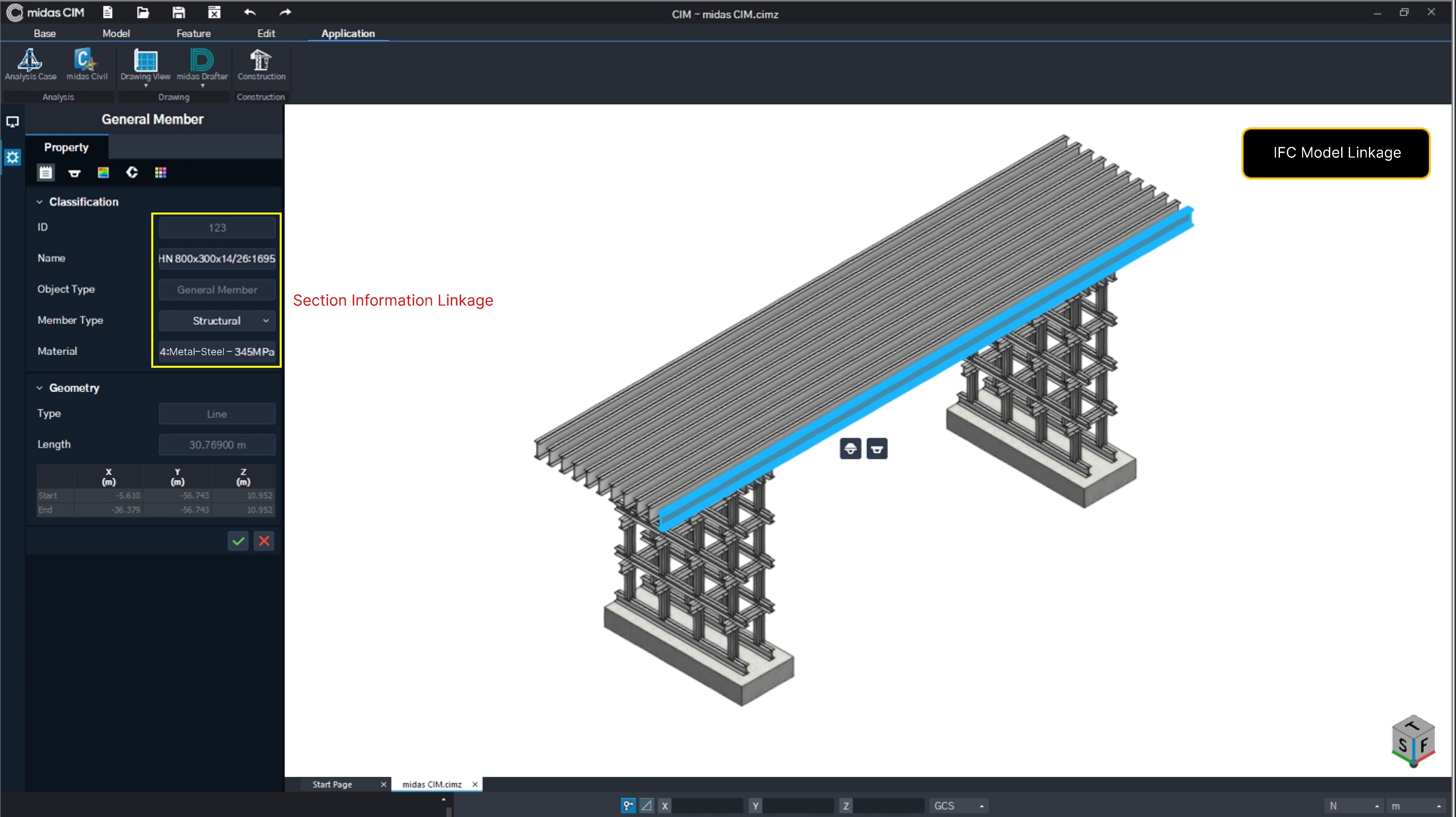
  • We confirmed that the section information created in Revit is well applied when imported as an IFC file.
  • We also confirmed that the 3D model shape matches the original model created in Revit. 
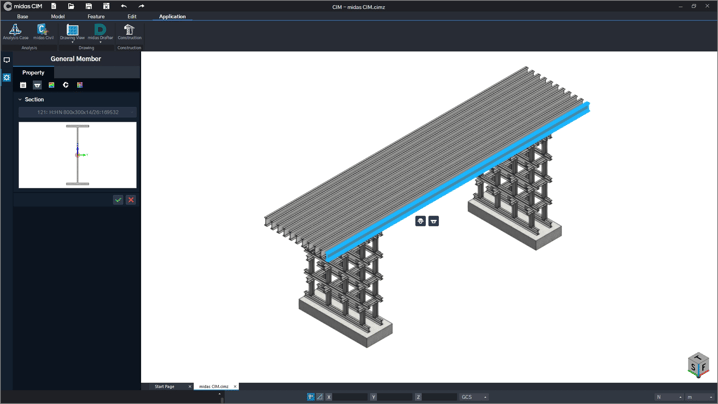
figure 1_IFC File Import


figure 2_IFC File Import


2. Analysis-Link Setting in MIDAS CIM.

 
  • This is the work screen in Midas CIM for analysis linkage.
  • We applied it to enable import into MIDAS Civil with minimal effort (the model is simply passed to Civil).
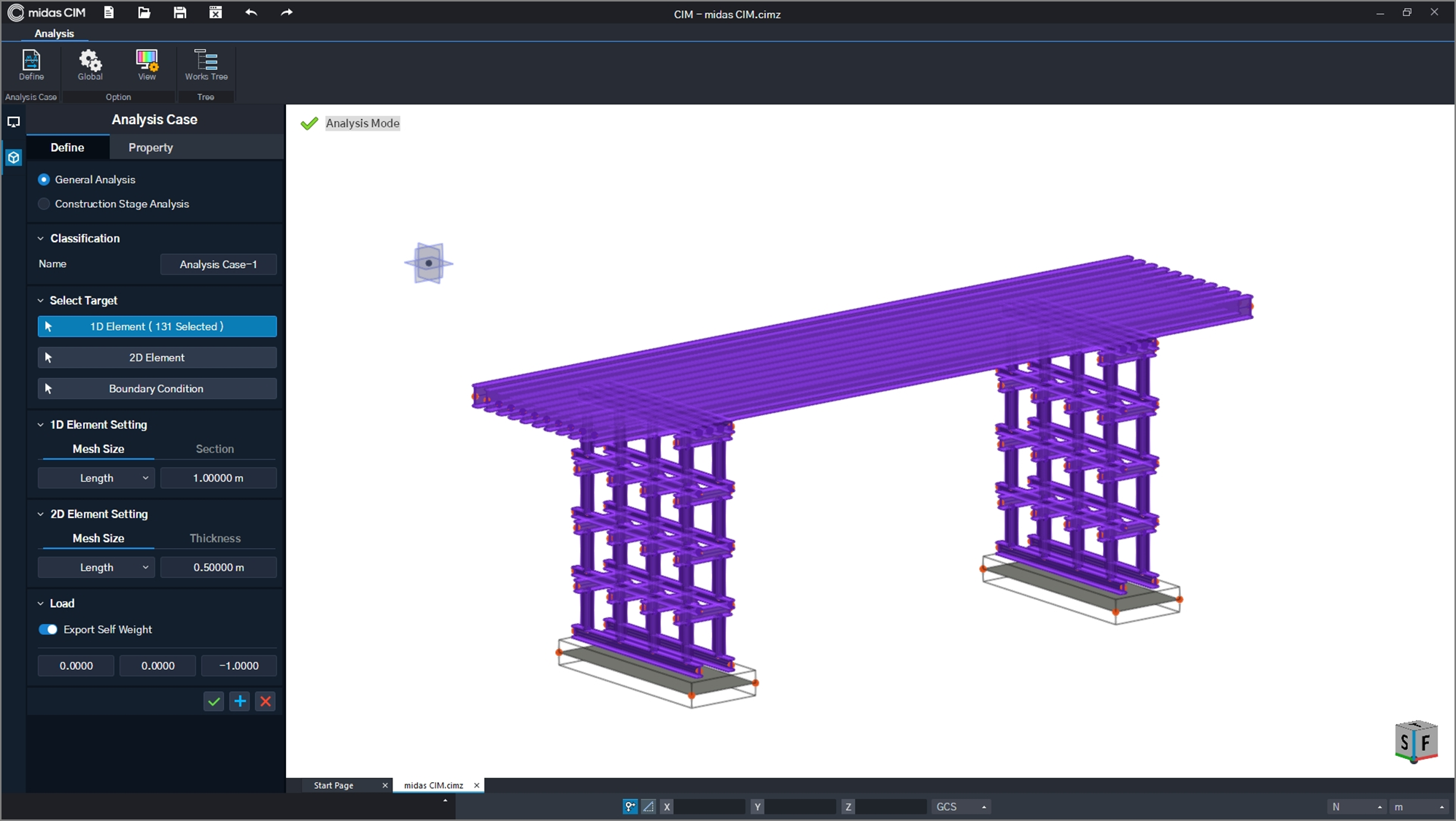
 

figure 3_MIDAS CIM analysis link


3. Midas Civil Import
 

  • The model created in MIDAS CIM was transferred to MIDAS Civil in just 15 seconds.
  • However, unfortunately, while the 3D model created in MIDAS CIM can be used in MIDAS Civil without additional modeling work, models created in other BIM software require additional work.
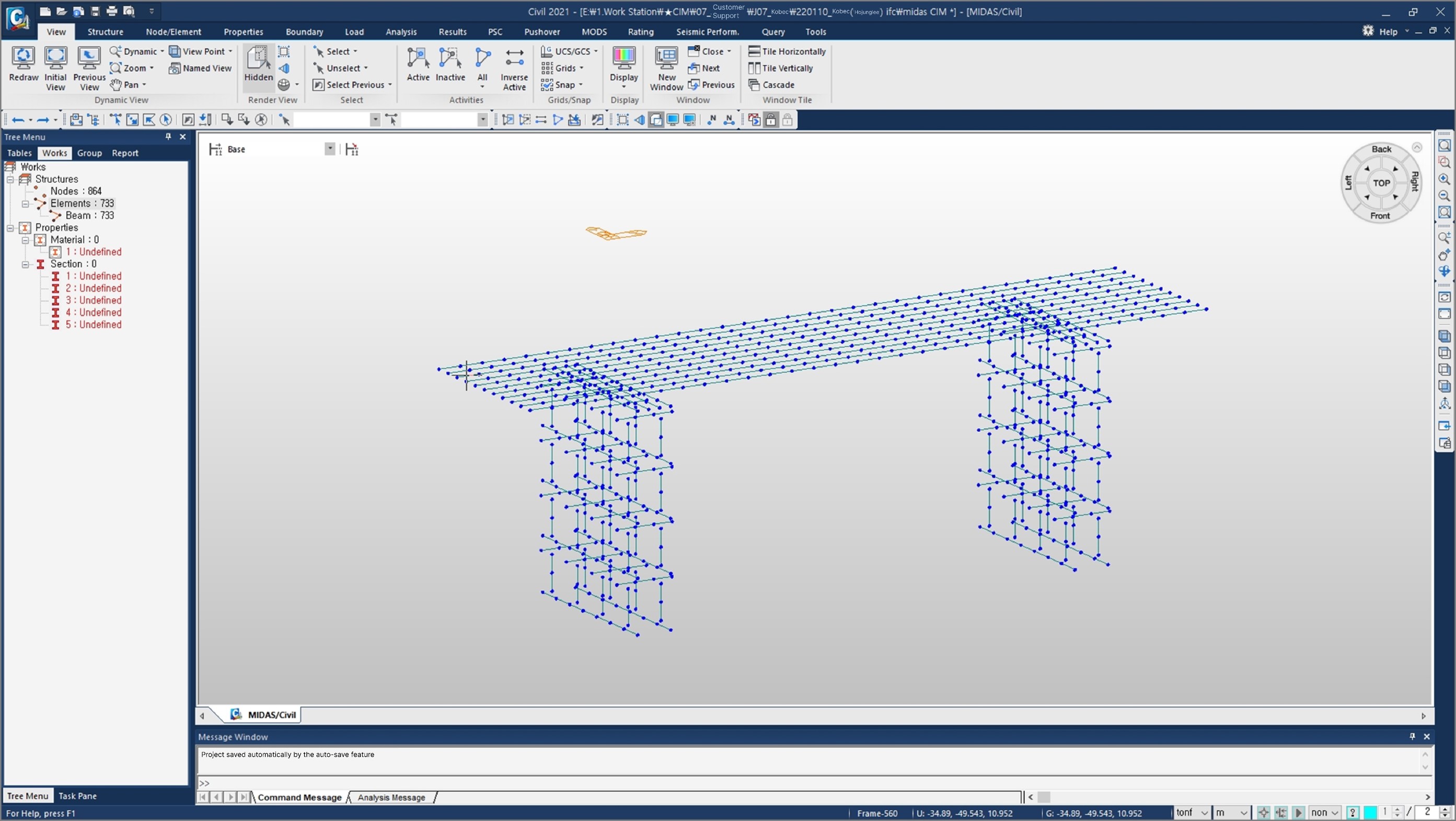
figure 4_MIDAS Civil Import


4. Midas Civil Additional Work


  • The 3D modeling files created based on IFC files from other BIM software (such as Revit, ALLPLAN, etc.) are customized with section information specific to the user. Therefore, only the geometry information is compatible because the section information does not match CIM/Civil.
  • Therefore, the section information needs to be set separately in Civil.
  • Link creation and connection can be done in CIM or Civil.
  • Note that when transferring a 3D model created in CIM to Civil, there is no need to set section information or perform link work.
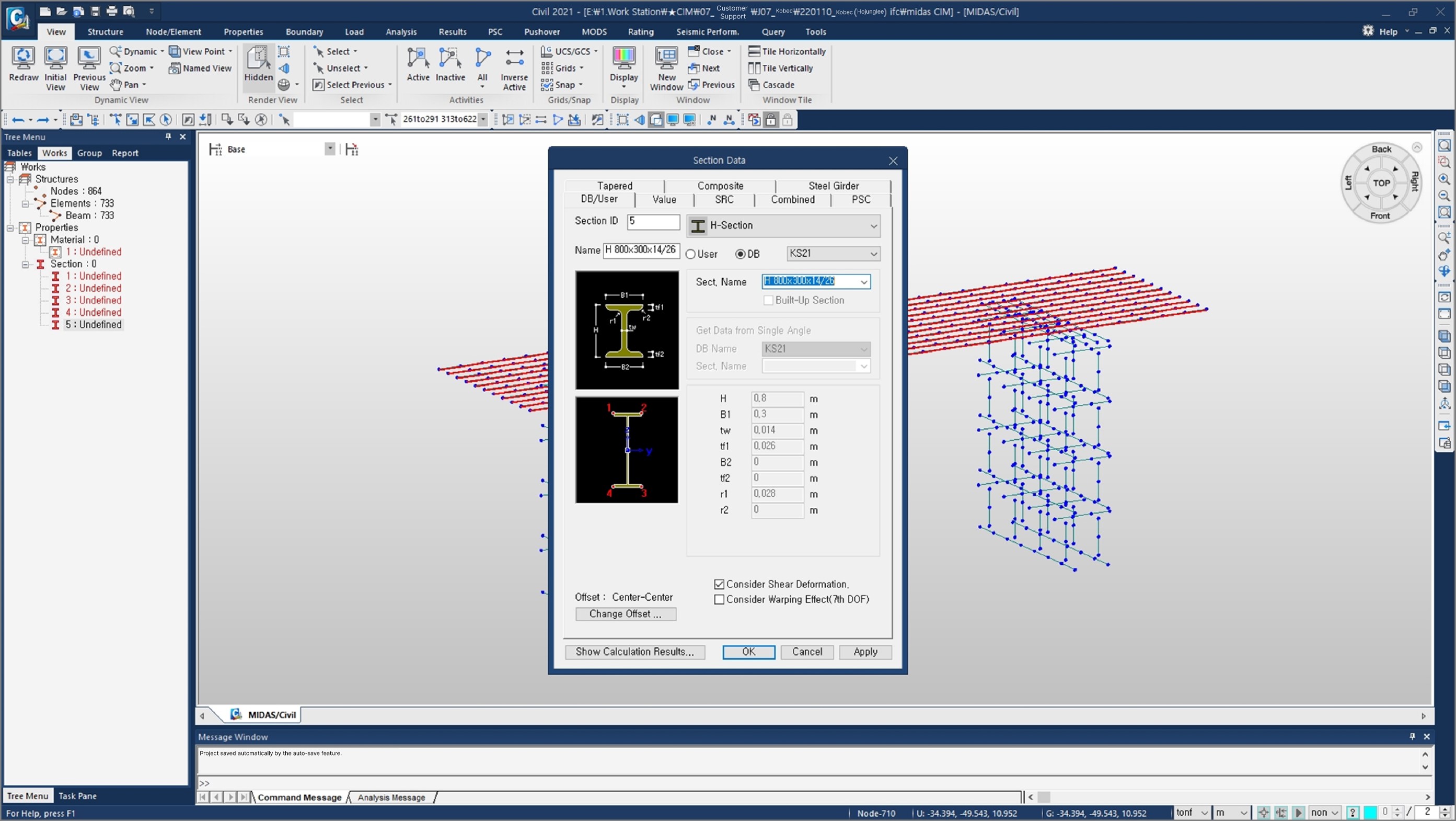
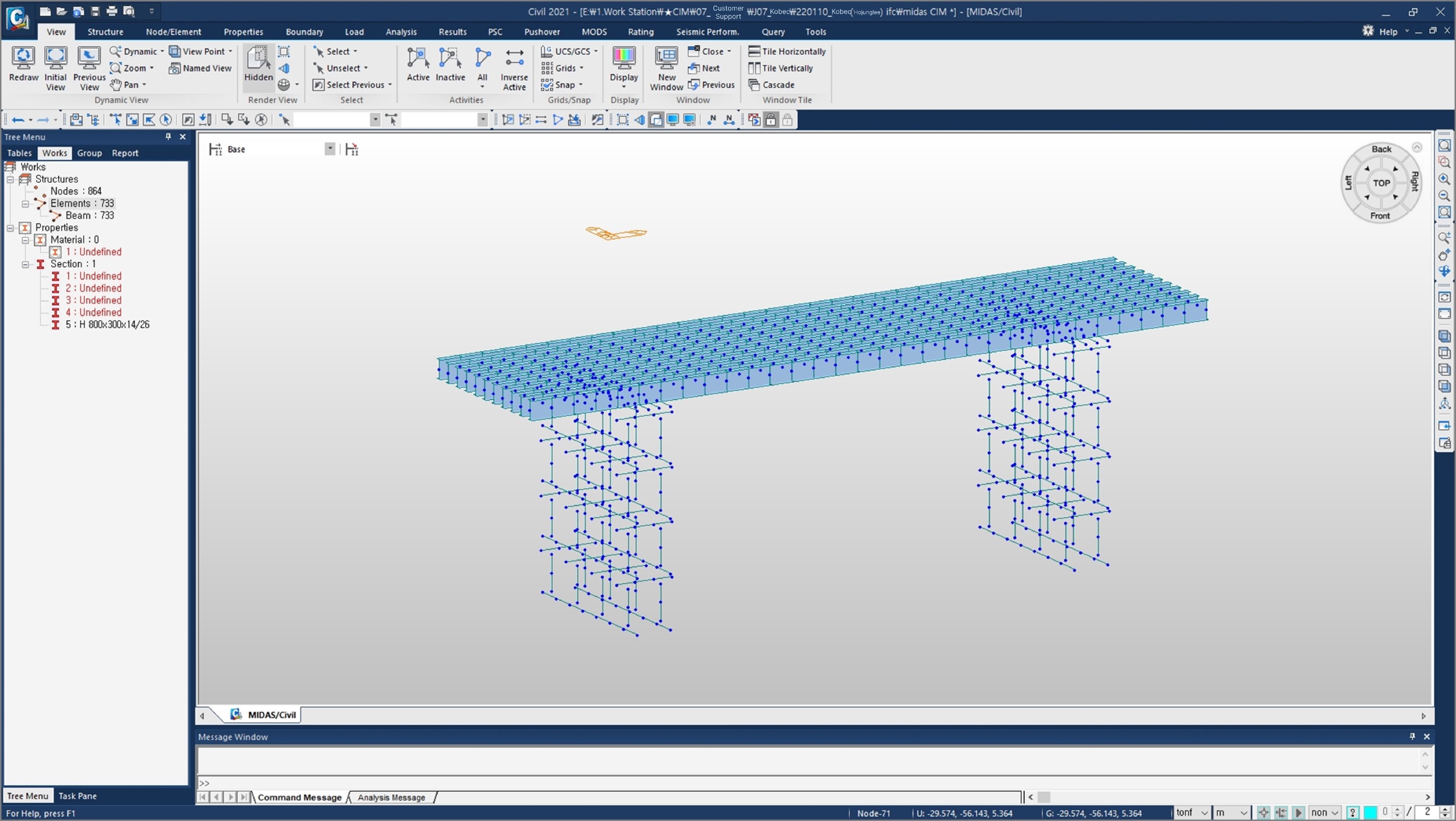
figure 5_MIDAS Civil Additional Workfigure 6_MIDAS Civil Additional Work 2

5. Automatic Drawing Generation


  • When working in MIDAS CIM, the model is designed to automatically save drawing information while modeling.
  • You no longer need to draw desired 2D or 3D drawings; you can extract them.
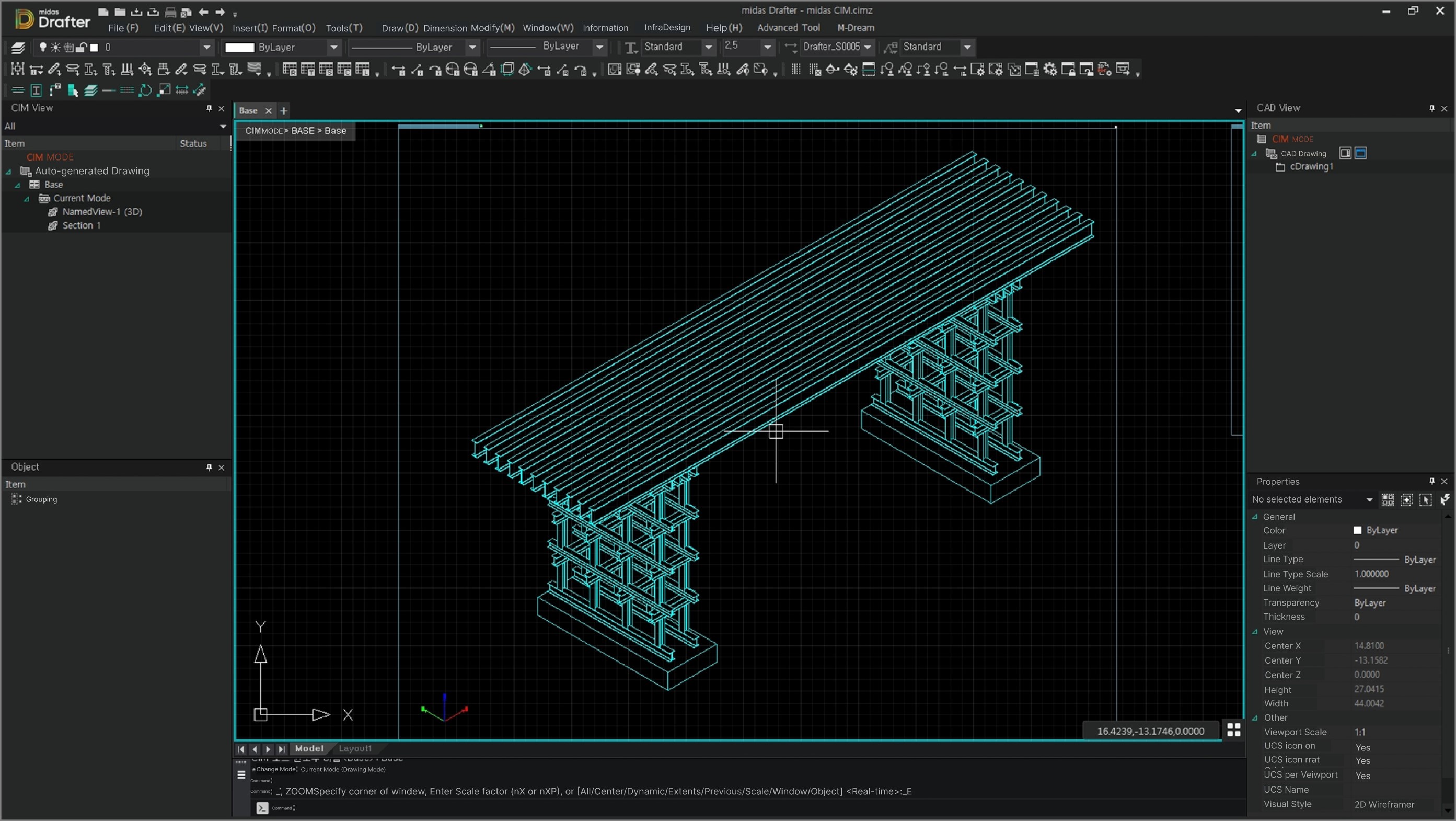
figure 7_Automatic Drawing Generation

6. Conclusion & Additional Information


Conclusion


Any model modeled in any BIM software can be analyzed in MIDAS Civil through CIM.


However, models created in other BIM software (Revit, ALLPLAN, etc.) require separate input of section information and links in Civil.


Aidditional Information


When asked about what happens to the analysis if the modeling is changed after interpreting a model created in MIDAS CIM in MIDAS Civil, the following answer is provided: "It is automatically interpreted."


👉Please fill out the Download Section (Click here) below the Comment Section to download the CIM Catalog.


Susbcribe
MIDAS Newsletter

Thank you, See you soon!
Share
About the author
Hojung Lee | Professional Consultant | MIDASIT

Hojung is a CIM Business Team Consultant within MIDAS IT.

He has over 16+ years of experience in the service of Civil Engineering.

Comments
DOWNLOAD CIM Catalog Download

Please fill out the below form to
to download the CIM catalog

All