Hello everyone, CoBen here! 🎉
Today is a special day as we launch our new blog content for MIDAS CIVIL NX users!
Here, we’ll share various contents you've faced using MIDAS CIVIL NX and some good tips to resolve them. Each week, we'll pick topics from these that could benefit other users.
We'll also share stories about how we've improved customer service and solved the difficulties you've encountered.
We invite you all to join us on this journey!
Let's share questions, experiences, and laughs while creating amazing engineering stories through MIDAS CIVIL NX and this blog.
Sounds a bit like 'The Civil Engineer's Sitcom,' doesn't it? 😄
To commemorate this beginning, we eagerly await your active participation and interest. 👏👏👏
Hello, Civil Engineers! Today, we'll explore how to view multiple loads simultaneously in MIDAS CIVIL NX.
Many of you have been curious about displaying various loads on the screen at the same time. Today, I’m excited to share the solution to this.
Question of the Day : "Is there a way to see Load Case 1 point loads and Load Case 2 uniformly distributed loads simultaneously?"
Don't worry. We've got you covered!
If you go to the Load tab in Display, you can display all the desired loads on the screen at once.
First, let's look at an example of an underground structure. It has various loads applied, and I wanted to see the top and bottom water pressures simultaneously.
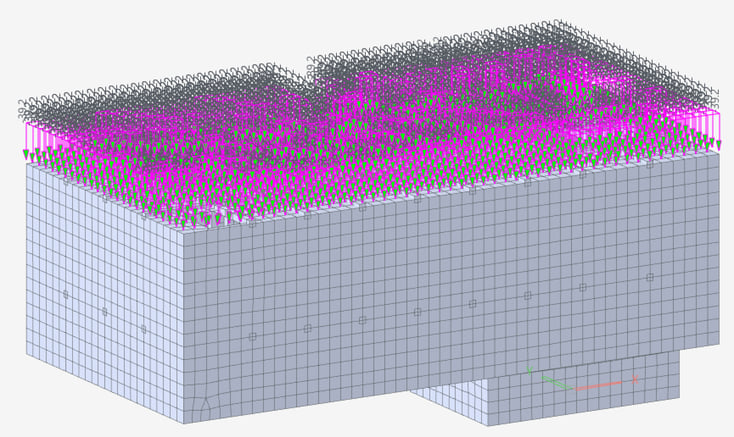
Hydrostatic Pressure at the Top of Structures
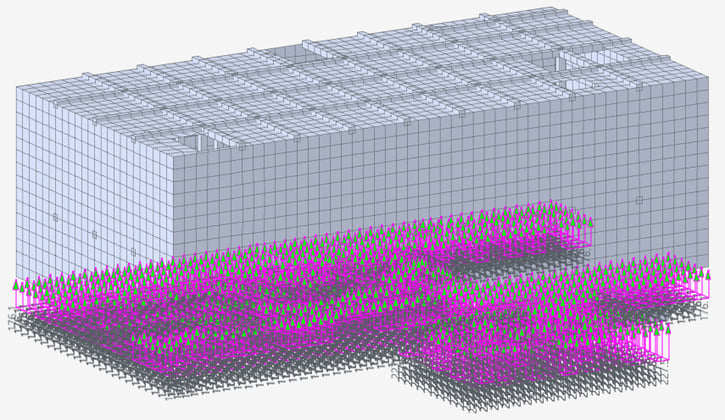
Hydrostatic Pressure at the Bottom of Structures
Open MIDAS CIVIL NX and go to the View tab > Display. Then, navigate to the Load tab, and a window like this will appear.

View Tab_Display
Here, you can select the loads you want. For instance, if you choose Pressure Load and Beam Load and click the OK button, both loads will be displayed on the screen.
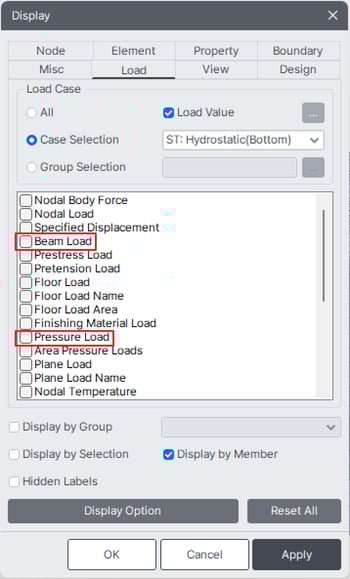
Display Menu
If you want to check a specific Load group separately, select Group Selection, and click the '...' button on the right to open the Select Load Group window.
There, choose the Load group you desire and press OK, and only that group will be activated and visible.
Pretty simple, right?
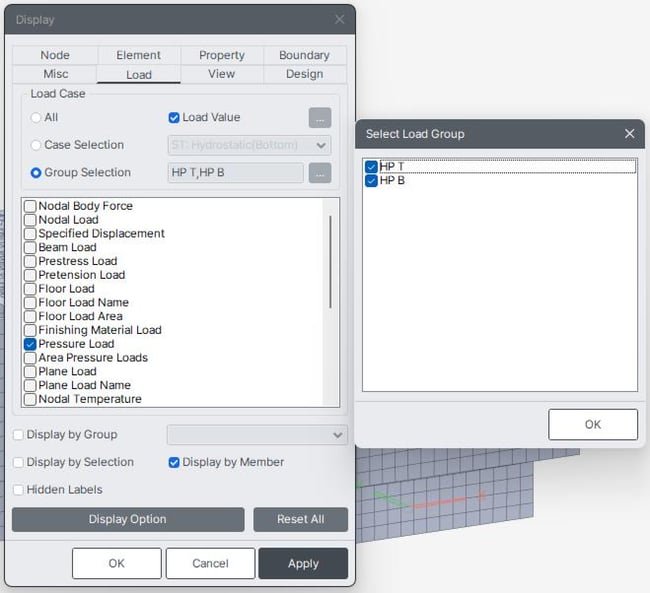
Display Menu_Select Load Group
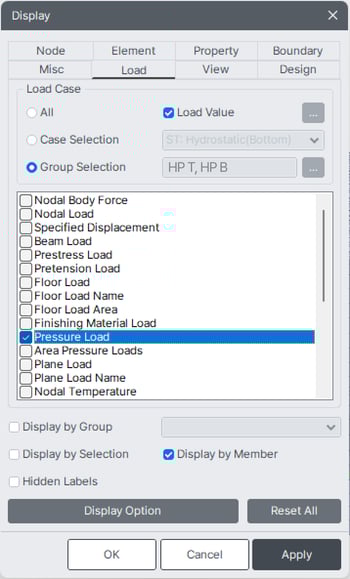
Group Selection
This way, you can easily view complex-looking loads at a glance.
TA-DA! Here’s the result. You can easily see the loads acting on the top and bottom, can't you?
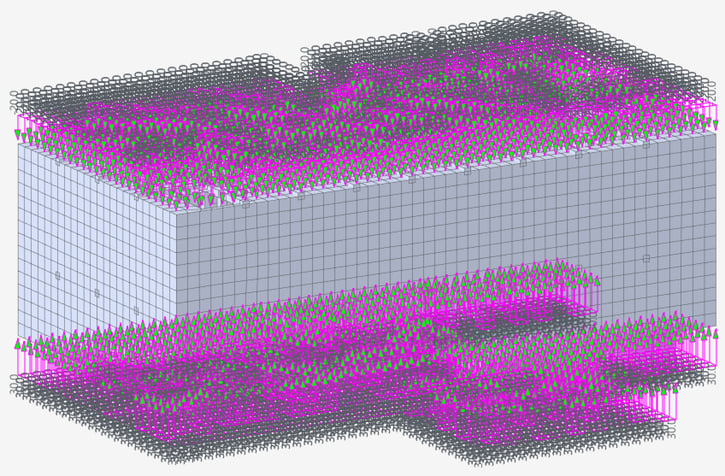
Displaying Multiple Loads Simultaneously
With this small tip in MIDAS CIVIL NX, your work will become much easier.
Now, enhance your efficiency with MIDAS CIVIL NX and become a 'Load Viewing' wizard! 🎩🔮
Each Wednesday, we'll bring you exciting and innovative news on CIVIL NX. Explore thirst-quenching insights into often overlooked aspects or hidden features through our content.
See you again next week. 👋👋👋