Would you like to sign out?

Select Country

  • Afghanistan English
  • Albania English
  • Algeria English
  • American Samoa English
  • Andorra English
  • Angola English
  • Anguilla English
  • Antarctica English
  • Antigua and Barbuda English
  • Argentina Español
  • Armenia English
  • Aruba English
  • Australia English
  • Austria English
  • Azerbaijan English
  • Bahamas English
  • Bahrain English
  • Bangladesh English
  • Barbados English
  • Belarus English
  • Belgium English
  • Belize English
  • Benin English
  • Bermuda English
  • Bhutan English
  • Bolivia Español
  • Bosnia and Herzegovina English
  • Botswana English
  • Bouvet Island English
  • Brazil English
  • British Indian Ocean Territory English
  • British Virgin Islands English
  • Brunei English
  • Bulgaria English
  • Burkina Faso English
  • Burundi English
  • Cambodia English
  • Cameroon English
  • Canada English
  • Cape Verde English
  • Caribbean Netherlands English
  • Cayman Islands English
  • Central African Republic English
  • Chad English
  • Chile Español
  • Christmas Island English
  • Cocos (Keeling) Islands English
  • Colombia Español
  • Comoros English
  • Congo English
  • Cook Islands English
  • Costa Rica Español
  • Côte d’Ivoire English
  • Croatia English
  • Cuba Español
  • Curaçao English
  • Cyprus English
  • Czech Republic English
  • Democratic Republic of the Congo English
  • Denmark English
  • Djibouti English
  • Dominica English
  • Dominican Republic Español
  • Ecuador Español
  • Egypt English
  • El Salvador Español
  • Equatorial Guinea English
  • Eritrea English
  • Estonia English
  • Ethiopia English
  • Falkland Islands English
  • Faroe Islands English
  • Fiji English
  • Finland English
  • France English
  • French Guiana Español
  • French Polynesia English
  • French Southern Territories English
  • Gabon English
  • Gambia English
  • Georgia English
  • Germany English
  • Ghana English
  • Gibraltar English
  • Greece English
  • Greenland English
  • Grenada English
  • Guadeloupe Español
  • Guam English
  • Guatemala Español
  • Guernsey English
  • Guinea English
  • Guinea-Bissau English
  • Guyana English
  • Haiti Español
  • Heard Island and McDonald Islands English
  • Honduras Español
  • Hong Kong English
  • Hungary English
  • Iceland English
  • India English
  • Indonesia English
  • Iran English
  • Iraq English
  • Ireland English
  • Isle of Man English
  • Israel English
  • Italy English
  • Jamaica English
  • Japan 日本語
  • Jersey English
  • Jordan English
  • Kazakhstan English
  • Kenya English
  • Kiribati English
  • South Korea 한국어
  • Kuwait English
  • Kyrgyzstan English
  • Laos English
  • Latvia English
  • Lebanon English
  • Lesotho English
  • Liberia English
  • Libya English
  • Liechtenstein English
  • Lithuania English
  • Luxembourg English
  • Macau English
  • Madagascar English
  • Malawi English
  • Malaysia English
  • Maldives English
  • Mali English
  • Malta English
  • Marshall Islands English
  • Martinique English
  • Mauritania English
  • Mauritius English
  • Mayotte English
  • Mexico Español
  • Micronesia English
  • Moldova English
  • Monaco English
  • Mongolia English
  • Montenegro English
  • Montserrat English
  • Morocco English
  • Mozambique English
  • Myanmar English
  • Namibia English
  • Nauru English
  • Nepal English
  • Netherlands English
  • New Caledonia English
  • New Zealand English
  • Nicaragua Español
  • Niger English
  • Nigeria English
  • Niue English
  • Norfolk Island English
  • Northern Mariana Islands English
  • Norway English
  • Oman English
  • Pakistan English
  • Palau English
  • Palestine English
  • Panama Español
  • Papua New Guinea English
  • Paraguay Español
  • Peru Español
  • Philippines English
  • Pitcairn Islands English
  • Poland English
  • Portugal Español
  • Puerto Rico Español
  • Qatar English
  • Réunion English
  • Romania English
  • Russia English
  • Rwanda English
  • Saint Barthélemy Español
  • Saint Helena English
  • Saint Kitts and Nevis English
  • Saint Lucia English
  • Saint Martin Español
  • Saint Pierre and Miquelon English
  • Saint Vincent and the Grenadines English
  • Samoa English
  • San Marino English
  • São Tomé and Príncipe English
  • Saudi Arabia English
  • Senegal English
  • Serbia English
  • Seychelles English
  • Sierra Leone English
  • Singapore English
  • Sint Maarten English
  • Slovakia English
  • Slovenia English
  • Solomon Islands English
  • Somalia English
  • South Africa English
  • South Georgia English
  • South Sudan English
  • Spain English
  • Sri Lanka English
  • Sudan English
  • Suriname English
  • Svalbard and Jan Mayen English
  • Eswatini English
  • Sweden English
  • Switzerland English
  • Syria English
  • Taiwan English
  • Tajikistan English
  • Tanzania English
  • Thailand English
  • Togo English
  • Tokelau English
  • Tonga English
  • Trinidad and Tobago English
  • Tunisia English
  • Turkey English
  • Turkmenistan English
  • Turks and Caicos Islands English
  • Tuvalu English
  • U.S. Virgin Islands English
  • Uganda English
  • Ukraine English
  • United Arab Emirates English
  • United Kingdom English
  • United States English
  • U.S. Minor Outlying Islands English
  • Uruguay Español
  • Uzbekistan English
  • Vanuatu English
  • Vatican City English
  • Venezuela Español
  • Vietnam English
  • Wallis and Futuna English
  • Western Sahara English
  • Yemen English
  • Zambia English
  • Zimbabwe English
  • Åland Islands English
  • East Timor English
  • Netherlands Antilles English
  • Serbia and Montenegro English
  • North Macedonia English
  • Timor-Leste English
Blog

Blog | My secrets to making excavation drawing faster than you

2020.10.12

👇 Watch the popular case study webinar

How to quickly master the geotechnical design report


"Let's admit it. An excavation drawing is quite a nuisance"


As a geotechnical engineer with 10 years of experience, I have drawn a lot of drawings. Each industry has its characteristics, but today I'm going to explain the inconvenience of using general CAD and how it came to be cool after using the Geo XD which is way more specialized in geotechnical drawing.


Here's how I breakthrough. 


1. If there is a fixed one, it’s better to use it.
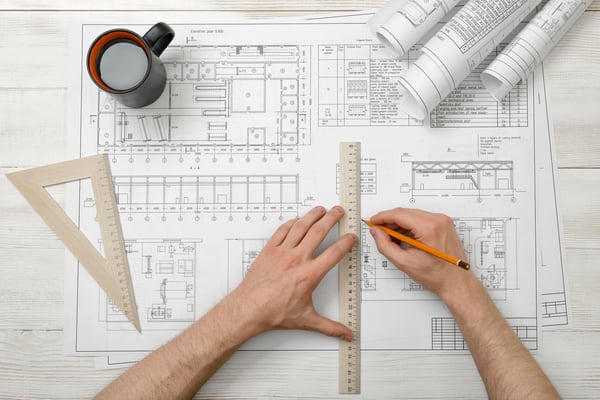
 

submission drawing


When we use drawing software, we need to represent the section such as strut, waler, retaining wall, and others on the submission drawing (Plan, Longitudinal, Section, Construction sequence, and others) as actual size. Since I have started using Geo XD software, I don't need to make it the actual size of the retaining system by myself anymore. It provides the database for sections that we normally use in the geotechnical industry. If needed, I could enter an additional section database.


Therefore, It will be considered as an actual size as soon as I assign the section from the database such as retaining wall, strut, waler, kingpost, earth anchor, and other reinforcement systems.


2. Longitudinal drawing can be automatically drawn.


Construction drawing


While I did the drawing work, I got too many things to consider. Particularly in the case of the longitudinal drawing, sometimes it took so long that I didn't submit a longitudinal drawing. For beginners who are not getting it, well, believe me. It will even get worse when you start from zero.


Geo XD makes up for this point well. It could get the longitudinal drawing without touching a hand, based on the plan drawing. All I need to do is to finish the plan drawing.


3. Do not think too much.


Stressed-out


For the section drawing, you need to think about selecting the section from your plan drawing with engineering judgment. Also, you need to think about the levels and number of reinforcement from your selected section. Sometimes, there is reinforcement that hides one under a specific section in your project.


On the other hand, I can select a section from anywhere as like pick up the book in a library with Geo XD. The level and layer of reinforcement will be specified automatically what I assigned under the plan view.

So, I don't need to think too much about whether the location of your reinforcement and excavation level on your section drawing is correct. Like I did, it will make you satisfy with your section drawing.


4. Say goodbye to Copy & Paste.

copy-and-paste


As you know, we need to submit the construction sequence drawing for the excavation project. Plus, we specify the excavation depth from each stage when we use the drawing program. There are two ways to do this stuff. First, draw it and do the copy & paste from the section drawing. Removal and addition of support systems are included in this step.


Second, generate the construction sequence with a few clicks, using Geo XD. We don’t need to do the thousands of copy & paste. With a few clicks, we get the construction sequence until the final excavation level directly. How grateful it is for reducing the troublesome process. So this is what I want to ask you. Why you haven't started yet? Midas GeoXD is for free for everybody. 

 

btn_trial


👇 Watch the popular case study webinar
Box culvert excavation drawing using Geo XD



bio_YH Choi


Topics Deep excavation

MIDAS GEO TEAM

Written by MIDAS GEO TEAM

Want Engineering tips
& Tech-trends in your inbox?