Interoperability between midas CIM and midas Civil
Please fill out the Download Section (Click here) below the Comment Section to download the CIM catalog
Table of Contents
3. Comparison of CIM & Civil Model
4. Layout adjustment feature in CIM
5. Conversion from Civil to CIM
1. Introduction
Midas CIM is a platform for Bridges Information Modelling (BrIM). Most of the BIM tools available now cater mainly to vertical structures, but it is at this juncture midas CIM comes into the picture and it specifically deals with horizontal structures. Today, let’s see what kind of analytical model could be generated from CIM.
The model created in CIM can be exported to midas Civil through an integrated platform. The cross sections, material properties, tendons profile, self-weight, supports, and links can be exported directly from CIM to Civil. Another feature of CIM is that a span defined in CIM can be adjusted according to the required alignment layout. Now let’s understand all of these through examples.
2. Description of CIM Model
A PSC Box Segment superstructure spanning 40m is modeled in CIM. The model consists of 4 different cross sections including tapered sections. A total of 8 tendons are modeled in the cross-section. Finally, the CIM Model is exported to midas Civil. Now let’s compare both the CIM and Civil Model.
3. Comparison of CIM & Civil Model
The comparison between the model developed in CIM and the model obtained in Civil after exporting from CIM is further done. An isometric view of the CIM model and Civil model is shown below in Fig.1 and Fig.2 respectively.
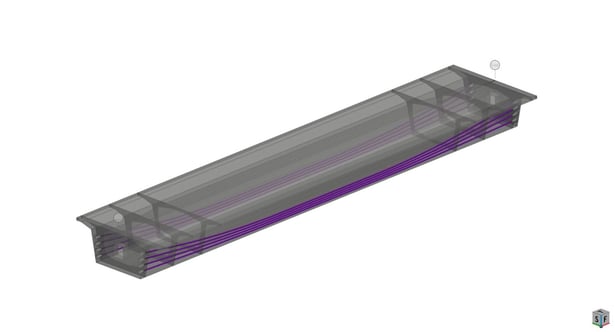
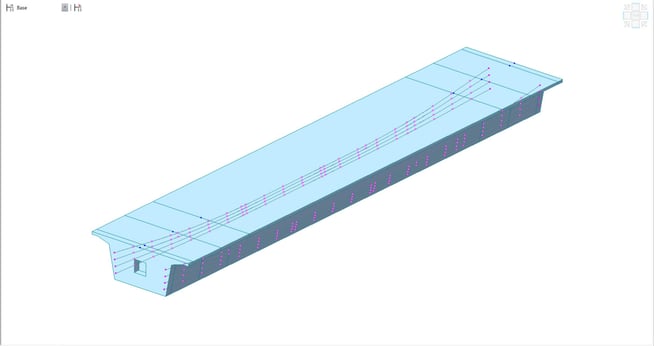
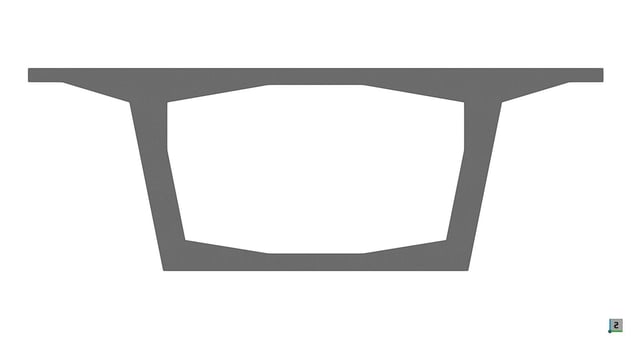
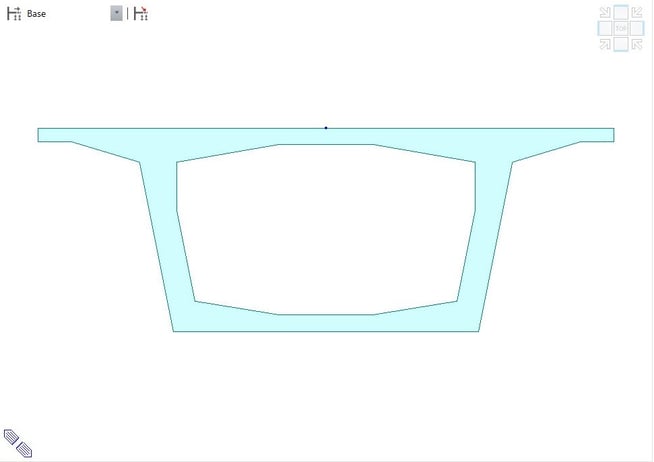
The cross section of Mid-section in CIM model and Civil Model is shown in Fig. 3 and Fig. 4 respectively.
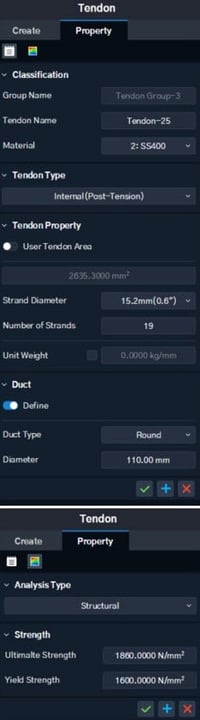
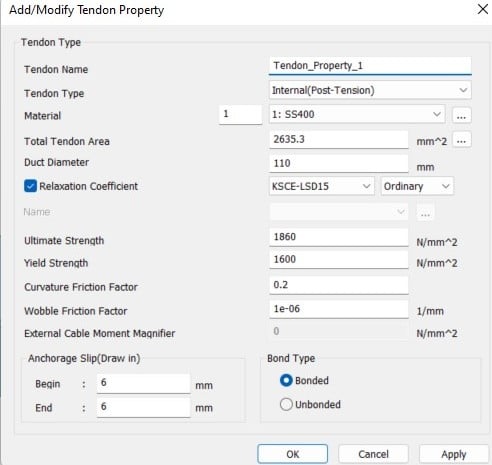
The properties of concrete and tendon which can exported from CIM to Civil are listed out in Table 1. Pre-defined material properties from database are used in midas CIM. As an example, the tendon properties of CIM model and Civil Model is shown in Fig. 5 and Fig. 6 respectively.
|
Properties |
midas CIM |
midas Civil |
|
Elastic Modulus |
||
|
Poisson’s Ratio |
||
|
Thermal Coefficient |
||
|
Weight Density |
||
|
Codes used |
||
|
Tendon Type |
||
|
Tendon Area |
||
|
Duct Diameter |
||
|
Ultimate Strength of Tendon |
||
|
Yield Strength of Tendon |
||
|
Self-Weight |
Table 1. List of Properties which can be exported from CIM to Civil
4. Layout adjustment feature in CIM
Another feature of CIM that shall be of great use is that the span which you have defined could be adjusted to any alignment as per our requirement. To explain it further, any straight span defined can be adjusted to any curved alignment also. Let’s consider an example to understand this further. In the above model we have defined a straight PSC Box segment superstructure spanning 40m. Now let’s consider the alignment of length 60m and radius 100m, the 40m straight model could be adjusted to fit the 60m curved span also.
In Fig. 7, the new alignment with length 60m and radius 100m which is given as input in CIM is shown. Fig. 8 and Fig. 9 shows the isometric view of the CIM model and Civil model respectively generated after adjusting to the new alignment. In this model, we have opted for the adjustment to be made in the Mid-section.
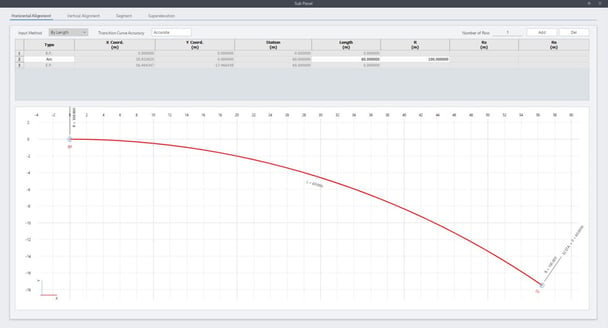
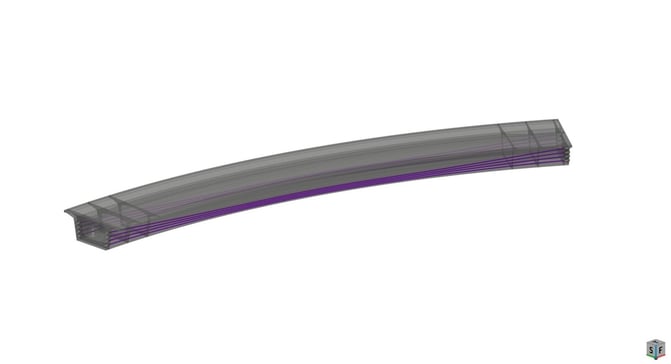
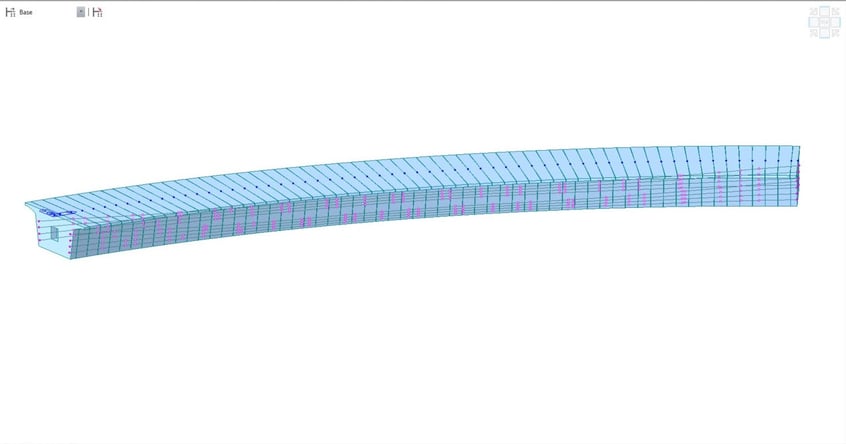
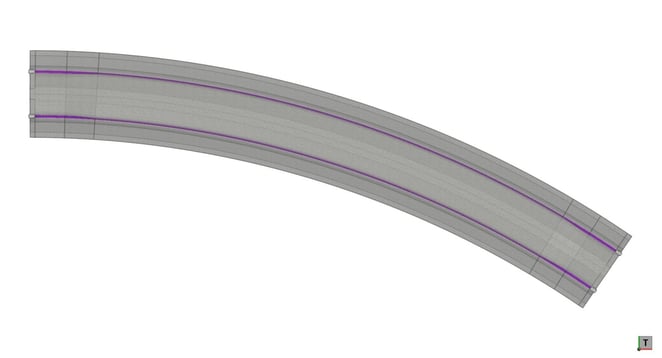
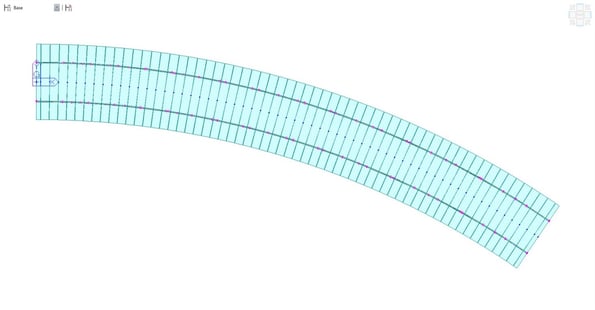
Fig. 10 and Fig. 11 shows the plan view of the CIM model and Civil model respectively generated after adjusting to the new alignment.
5. Conversion from Civil to CIM
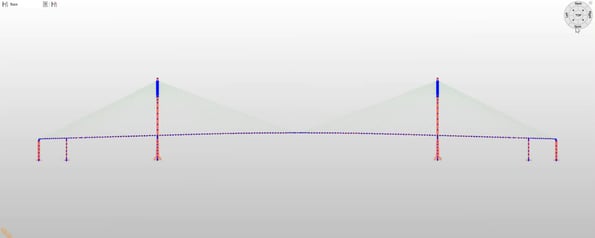
Now let’s consider the case in which you have a midas Civil model and you want to generate corresponding CIM model. Rather than making the CIM model from scratch you can very easily import midas Civil file to CIM. To have a better understanding of the same, Fig. 12 represents the model which was created in midas Civil and Fig. 13 shows the CIM model which is imported from the Civil model.
6. Conclusion
-
In present scenario, different countries are introducing BrIM guidelines for infrastructure projects. The interoperability of CIM and Civil would be beneficial for the engineers as the analytical Civil model could directly be exported from the CIM model. In this blog, we have thus seen that the CIM Model can be directly exported to midas Civil along with sectional properties, material properties, tendon profile, links, supports and self-weight. Also, it was observed that the span defined in CIM can be adjusted to any alignment as per our requirement. Thus, the integrated platform involving midas CIM and midas Civil works in coherence with each other. Thus helping the user to develop an analytical model directly from a BrIM based software by eliminating the issues which arises while using different platforms.